How do I edit a PDF online?
Typo in the PDF? Open it, click Text, type, download.
Go to FileHook, drop your PDF in, click Text, click the page and type. Then press Download.
It all happens in your browser tab. No install, no account, and no watermark on the file you get back.
A typo in the one PDF you cannot replace. An old date. A blank that needs words. You do not need to install a huge program for a two minute fix. You can do it in the tab you already have open.
5 steps and you are done
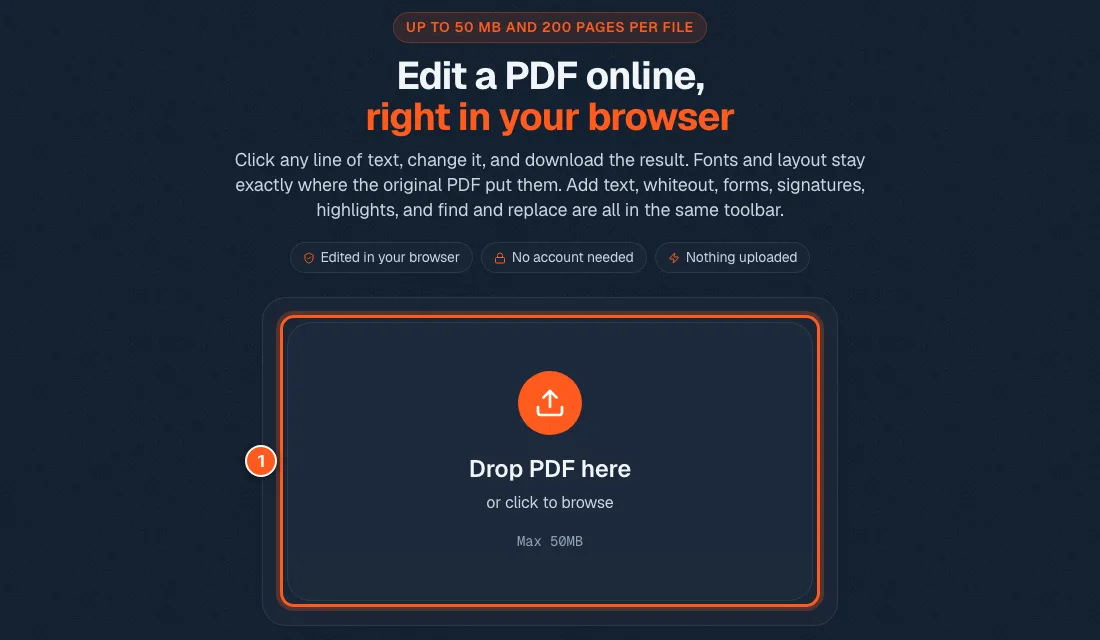
Drop the PDF straight onto the page
Open the PDF editor. Drag your file onto the big box, or click the box and pick it from your computer. Files can be up to 50 MB and 200 pages.
The file opens right in the tab. It is not sent to a server.
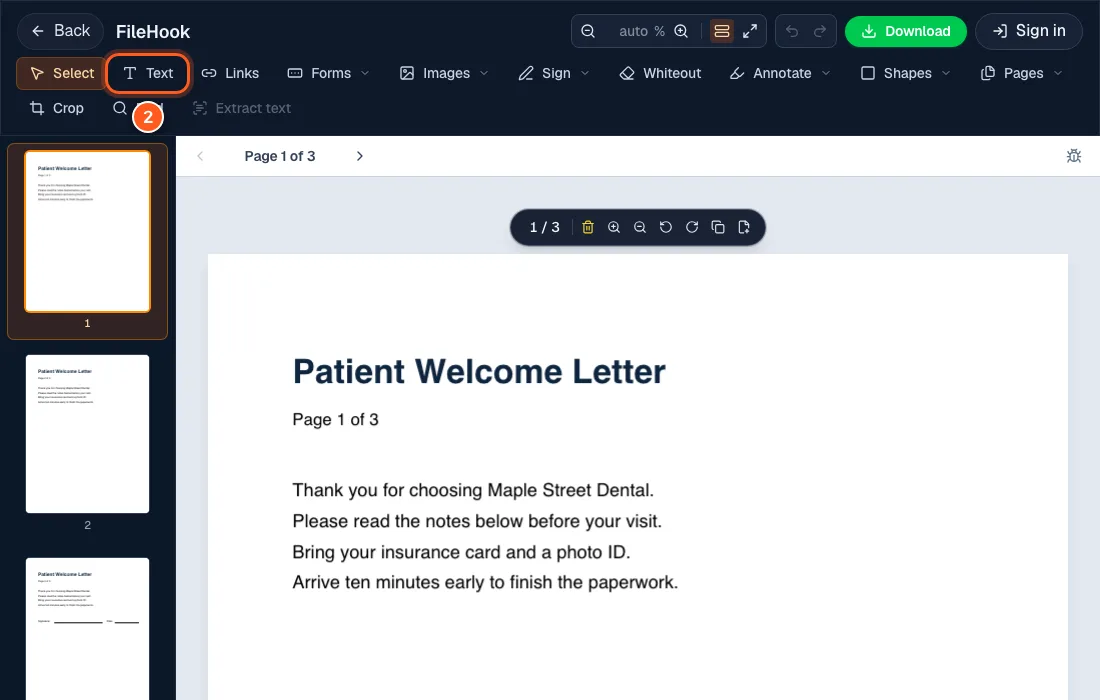
Pick Text from the toolbar
Your pages show up with a toolbar on top. Click Text when you want to add new words. Want to change words that are already there? Skip this step and click them directly (we cover that in the next question).
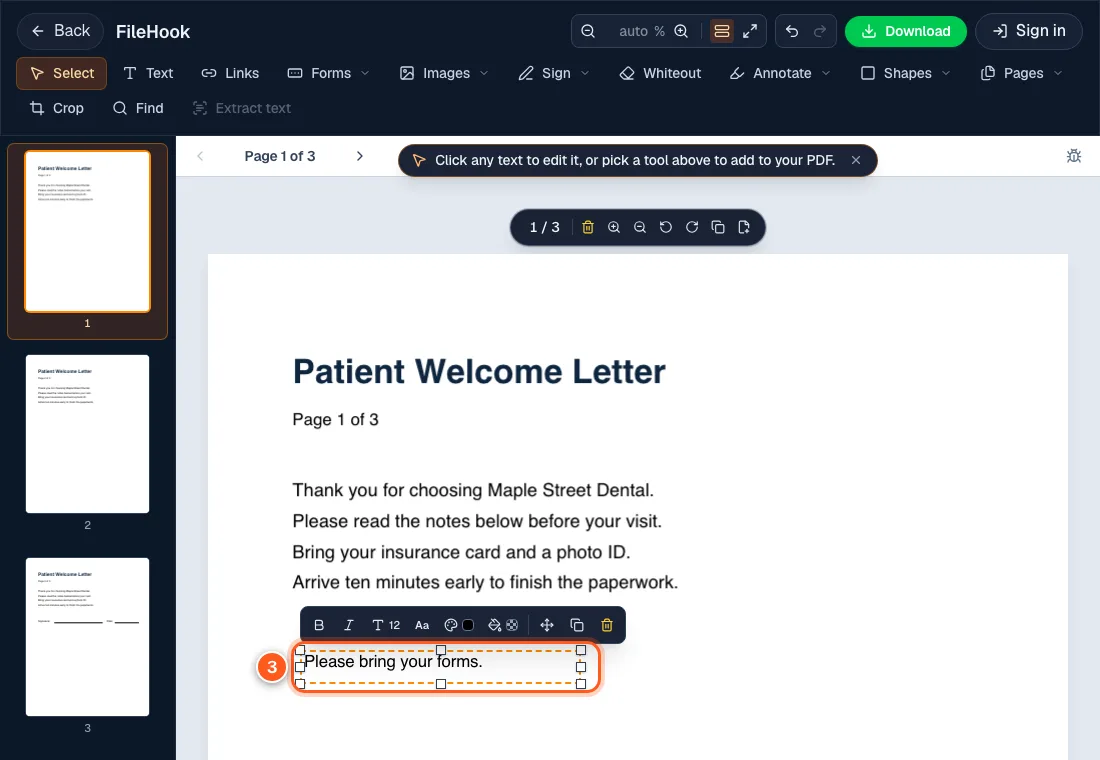
Click where the words go, then type
Click an empty spot on the page and start typing. A small bar appears above your text. Use it for bold, size, font and color.
Drag the box if it is a little off. Press the bin icon to throw it away.
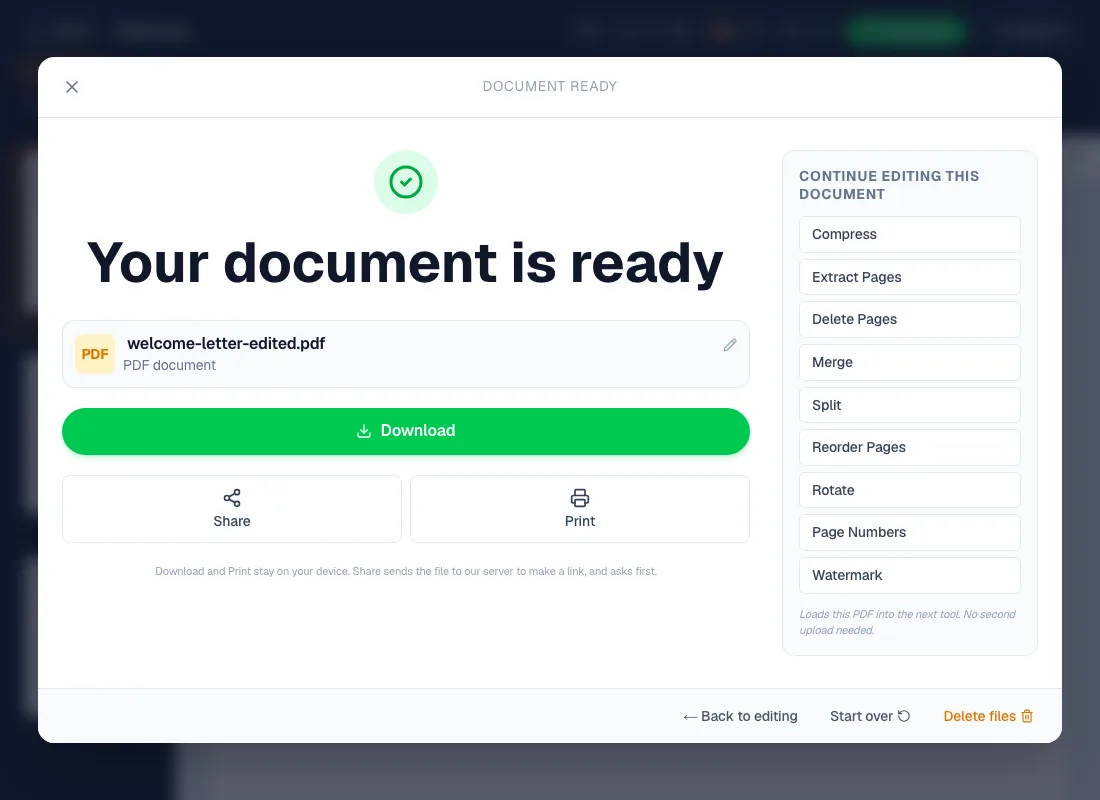
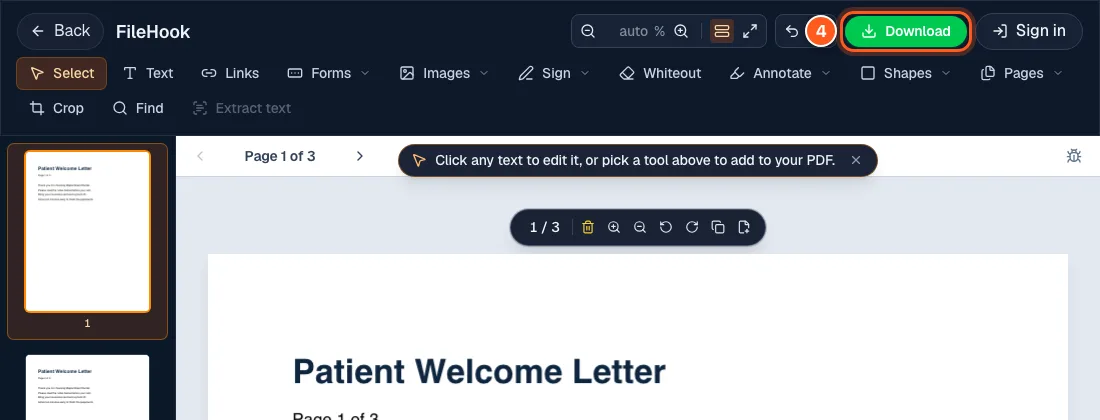
Hit the green Download button
It sits at the top right. Press it.
Keep the edited copy
A box says your document is ready. Press Download again to save it. You can also Print, or jump to another tool like Compress or Split with the same file.