
Why does every PDF fight you? 19 fixes for the ones that will not behave
PDFs always break at the worst moment. The form that will not type. The file that bounces your email. The page that is upside down. Every fix below is short, shown with real screenshots, and works right in your browser.
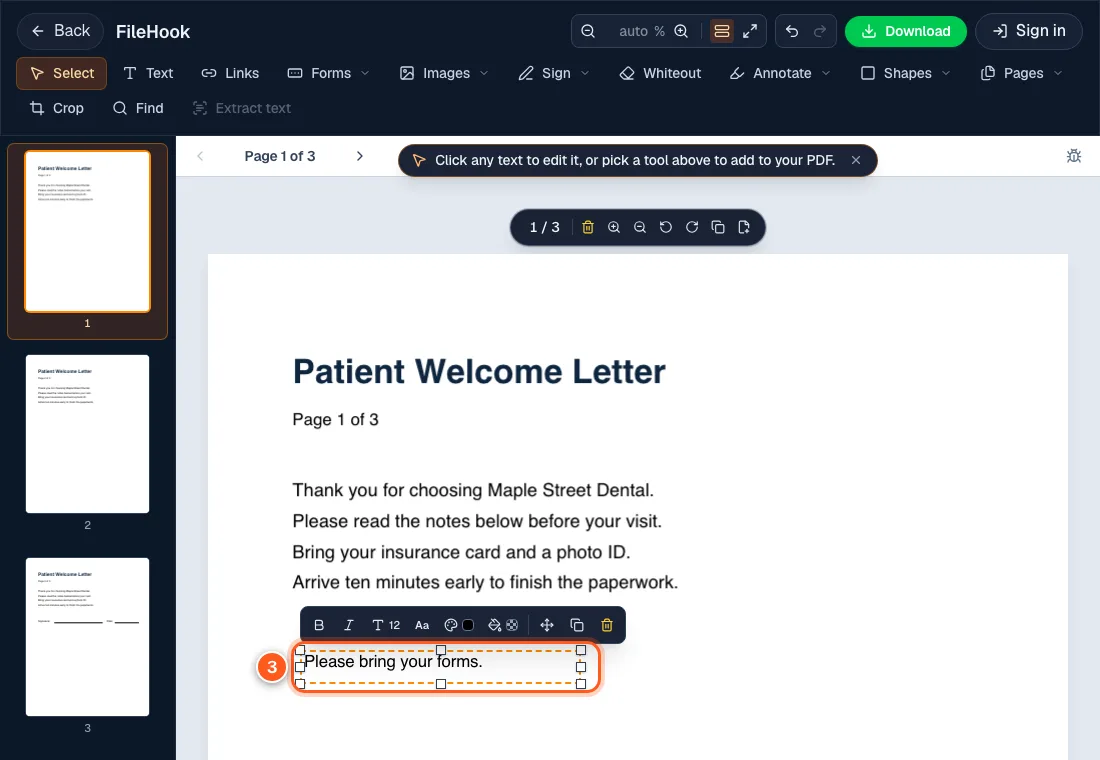
Typo in the PDF? Open it, click Text, type, download.
How do I edit a PDF online?
A typo, an old date, a blank to fill. Edit your PDF right in the browser tab. No install, no account, no watermark on what you download.
Fix it now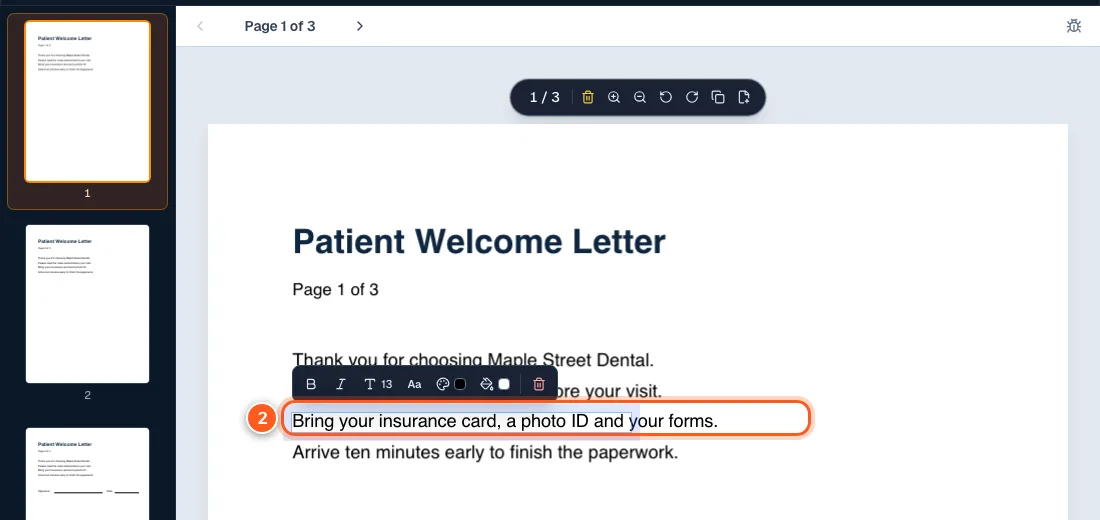
The original is gone and the PDF has a typo. Here is how to fix it.
How do I edit text in a PDF?
Wrong date? Typo in a name? Click the line, retype it, download. Here is what changes, what stays, and when it will not work.
Fix it now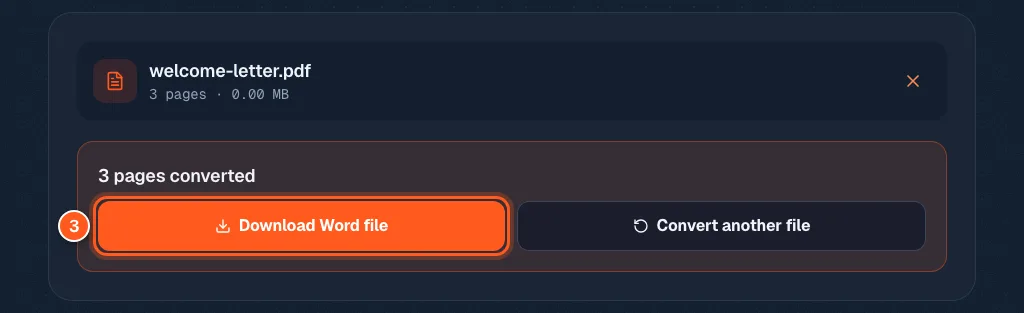
Stop fighting the PDF. Turn it into Word in 3 clicks.
How do I convert a PDF to Word?
Need to change more than a typo? Turn the PDF into a real Word file with text, headings, lists and images. Built in your browser, not uploaded.
Fix it now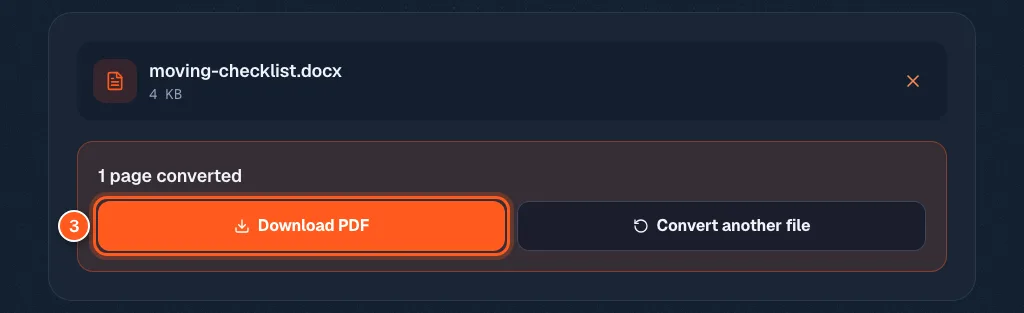
Your resume looks perfect in Word. On their phone it falls apart.
How do I convert a Word document to PDF?
Your resume looks perfect in Word, then falls apart on someone else's phone. Turn it into a PDF that looks the same everywhere. Free.
Fix it now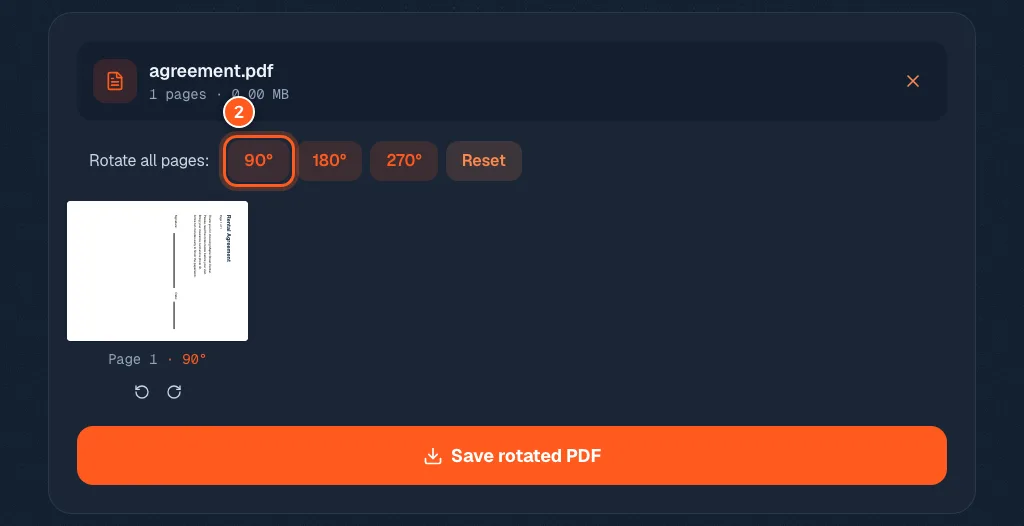
You rotated your PDF. It went sideways again. Here is why.
How do I rotate a PDF and save it?
You rotated the page, closed the file, and it went sideways again. Rotate one page or all of them and save it so it stays fixed.
Fix it now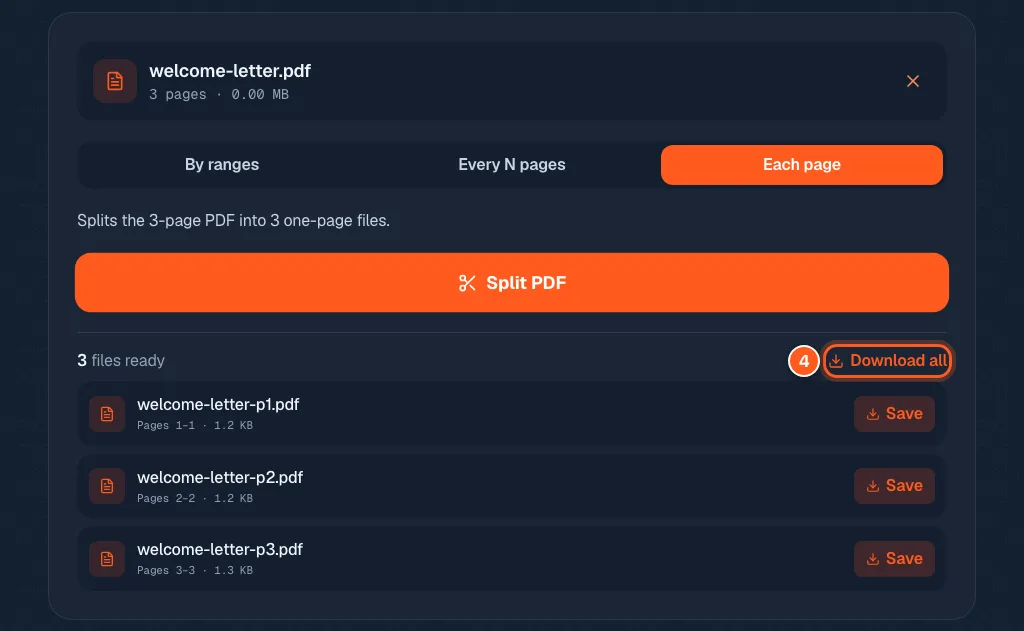
Stop sending the whole PDF when they only need page 3
How do I split a PDF into separate files?
One big PDF, but you only need part of it. Cut by page ranges, every N pages, or one file per page. Free, in your browser, nothing uploaded.
Fix it now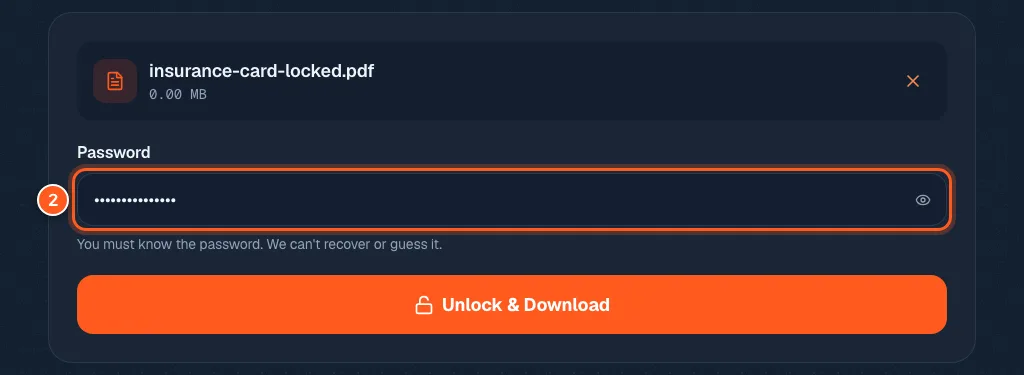
Tired of typing the same PDF password? Take it off for good
How do I remove the password from a PDF?
Typing the same PDF password every single time? Take it off for good. You need to know the password, and it never leaves your device.
Fix it now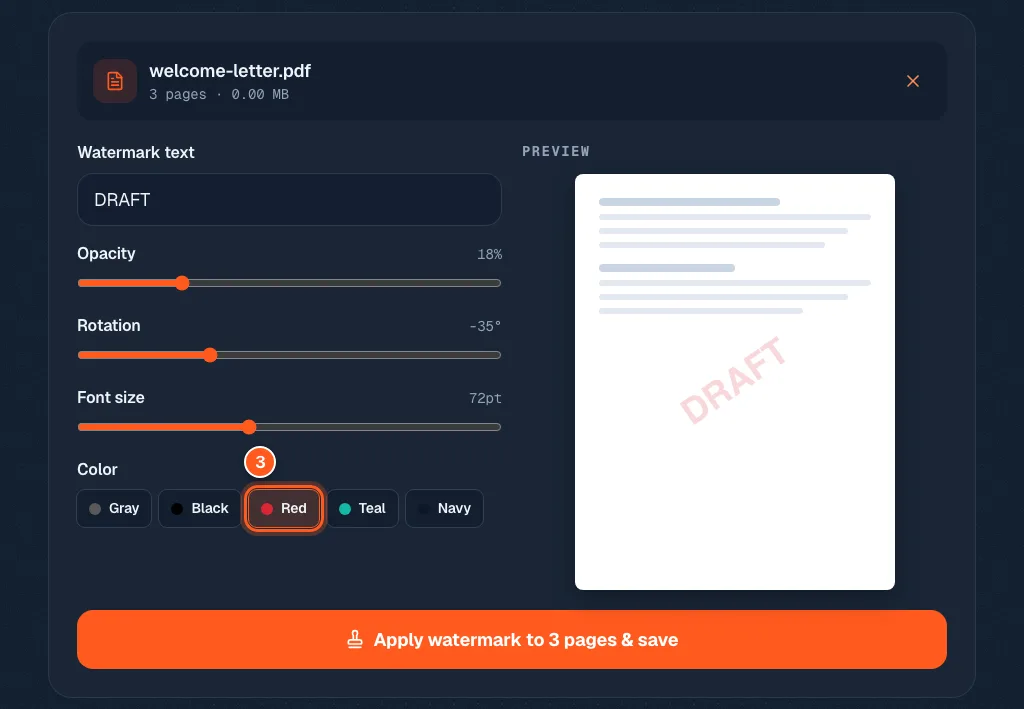
Stamp CONFIDENTIAL across the page before it leaves your hands
How do I add a watermark to a PDF?
Send the first version without anyone thinking it is final. Stamp DRAFT or CONFIDENTIAL across every page, with a preview before you save.
Fix it now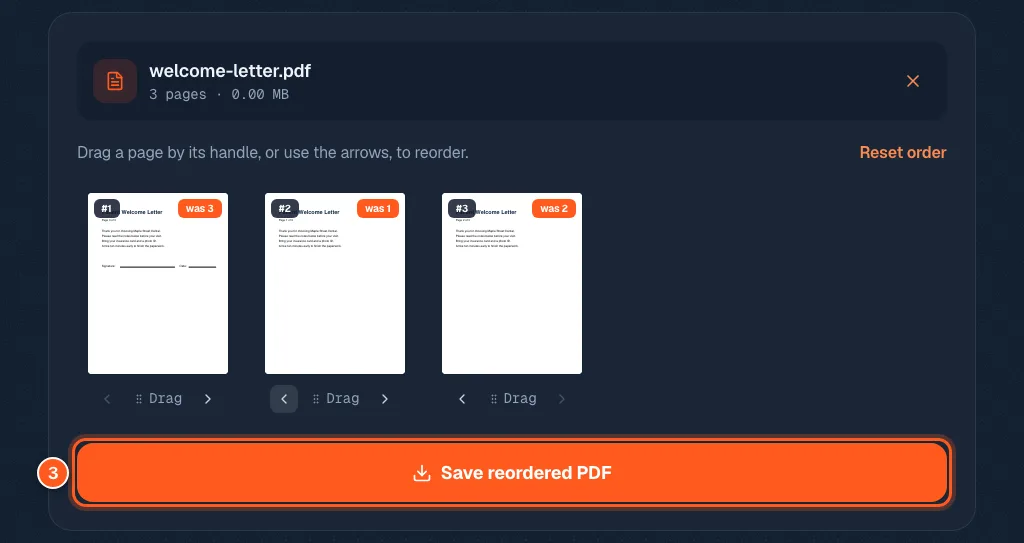
Do not rescan it. Rearrange the pages instead.
How do I rearrange the pages in a PDF?
The scanner put your pages in a funny order. Drag them back, or tap the arrows, and save the new order. Free, nothing uploaded.
Fix it now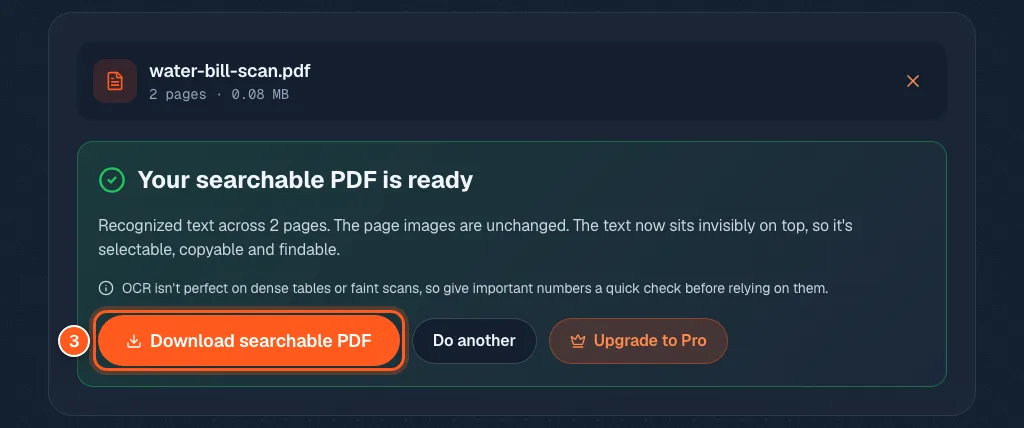
Ctrl+F finds nothing in your PDF. Here is why, and the fix.
How do I make a scanned PDF searchable?
You hit Ctrl+F and nothing is found, because a scan is only a picture of paper. OCR puts the words back. Runs in your browser, not uploaded.
Fix it now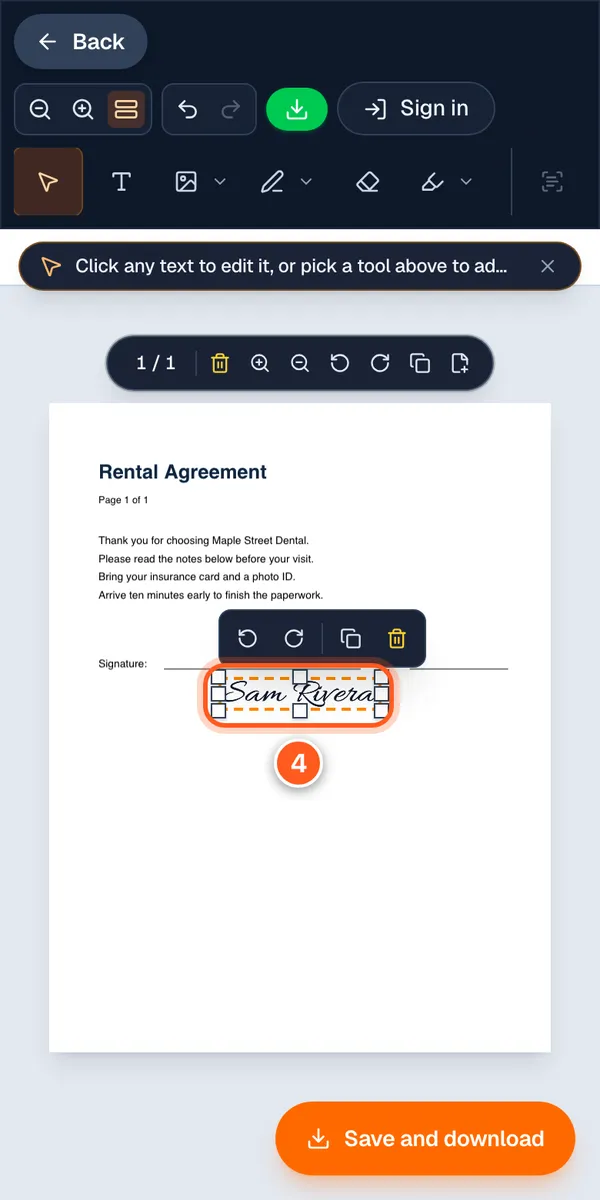
Stop printing PDFs just to sign them. Sign on your phone instead.
How do I sign a PDF on my phone without printing it?
Your landlord wants it signed by five and the printer is miles away. Sign a PDF on your phone in about a minute. No app, no account.
Fix it now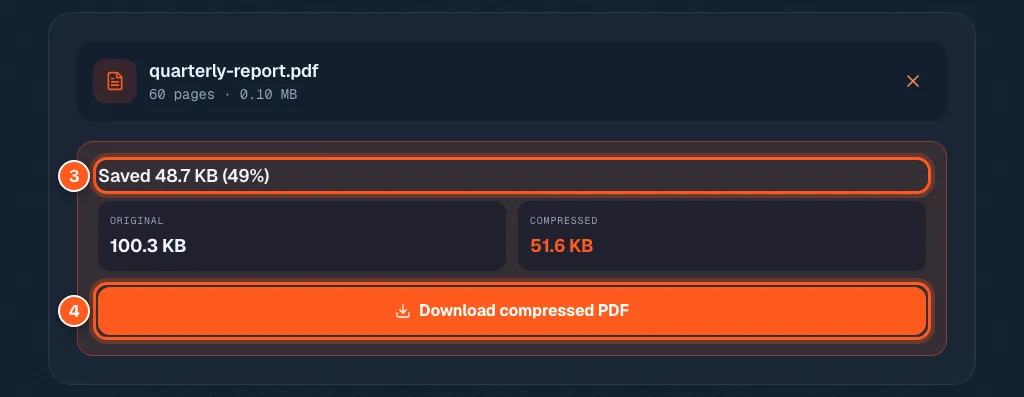
Your PDF is too big to email. Here is what really shrinks it (and what will not)
How do I make a PDF smaller so I can email it?
Email bounced your PDF? See the new size before you download, plus what to try when a file will not shrink. Free, in your browser.
Fix it now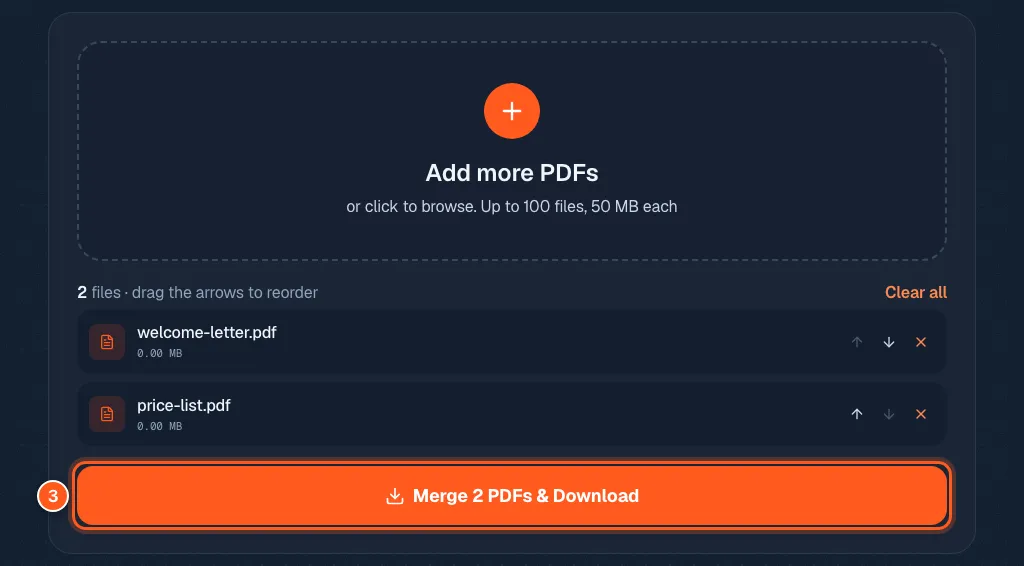
Stop emailing five attachments. Merge your PDFs into one.
How do I merge PDF files into one?
Six attachments look messy. One tidy PDF looks sharp. Put your files in order, press merge, and download. Free, no watermark.
Fix it now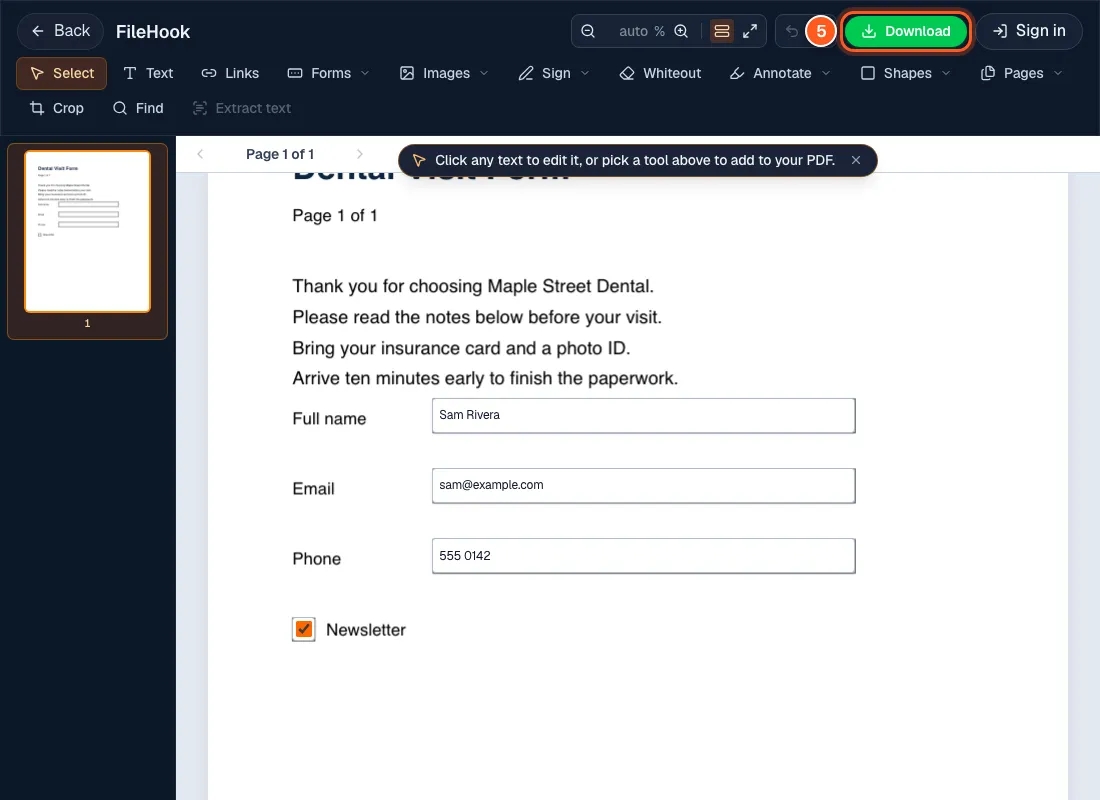
Can't type in that PDF form? Here is how to fill it in anyway
How do I fill out a PDF form that was emailed to me?
A form is due today and you only have it as a PDF. Click, type, tick, sign and download. Works even when the blanks will not let you type.
Fix it now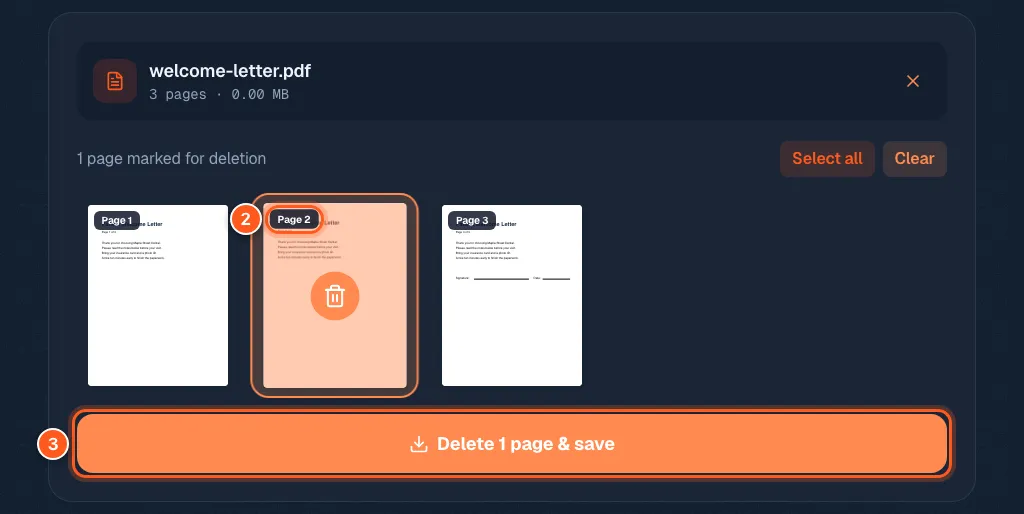
One wrong page can ruin a good PDF. Delete it in 3 steps.
How do I delete a page from a PDF?
That blank page, that cover sheet, that one page with private info: click it and it is gone. Your original stays untouched.
Fix it now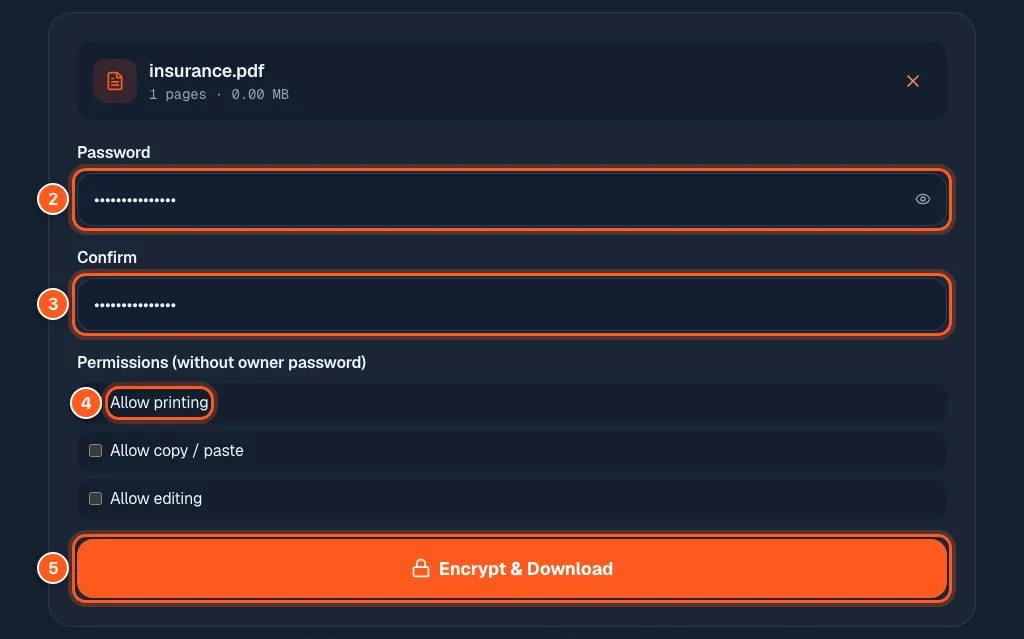
One forward and strangers can read your ID scan. Lock the PDF first.
How do I put a password on a PDF?
Bank papers and ID copies should not sit open in an inbox. Lock your PDF with a password, and the password never leaves your device.
Fix it now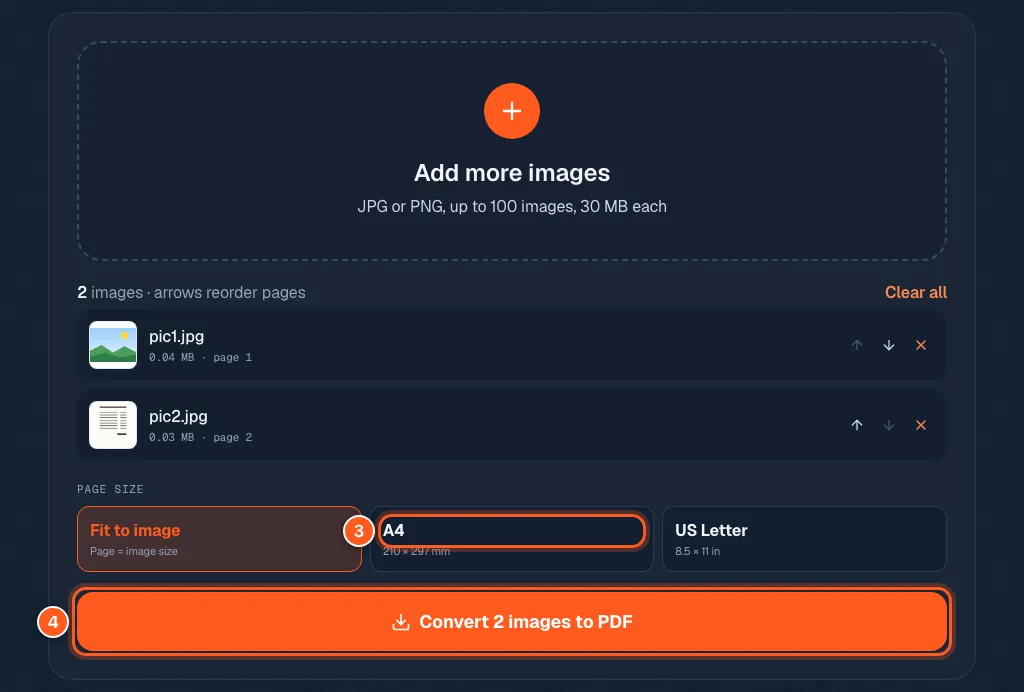
Stop sending ten photos. Send one PDF.
How do I make a PDF from photos?
Ten loose photos are a pain to send. Put them in order, pick a page size and get one PDF. Works with JPG and PNG, in your browser.
Fix it now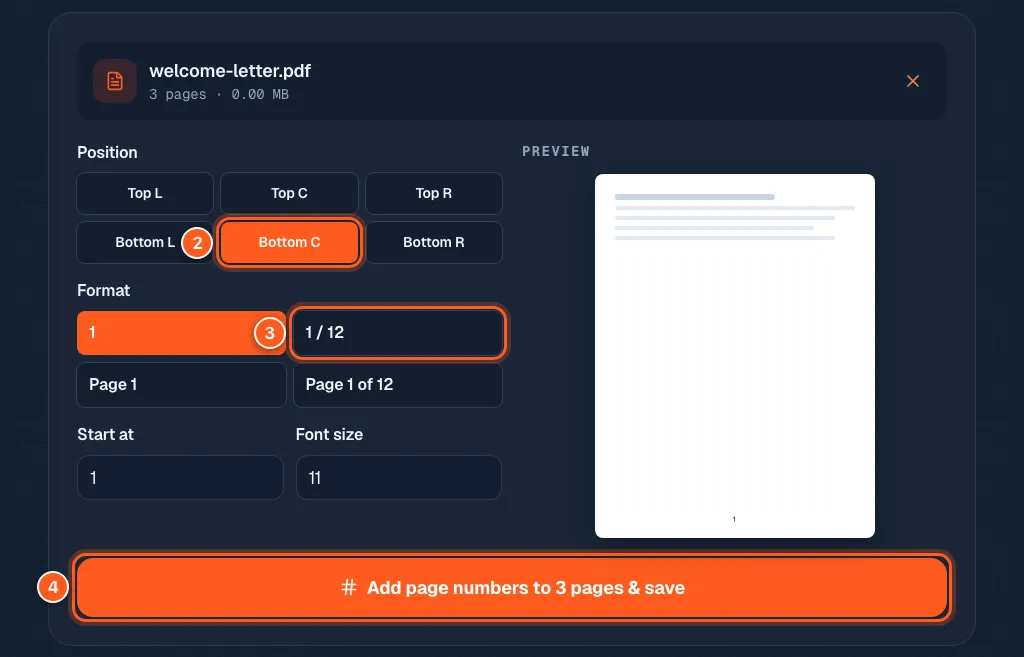
Your long report has no page numbers. Fix it in 3 steps.
How do I add page numbers to a PDF?
Nobody can find page 14 if it does not say 14. Pick a corner, a style and a start number, see a preview, then save. Free.
Fix it now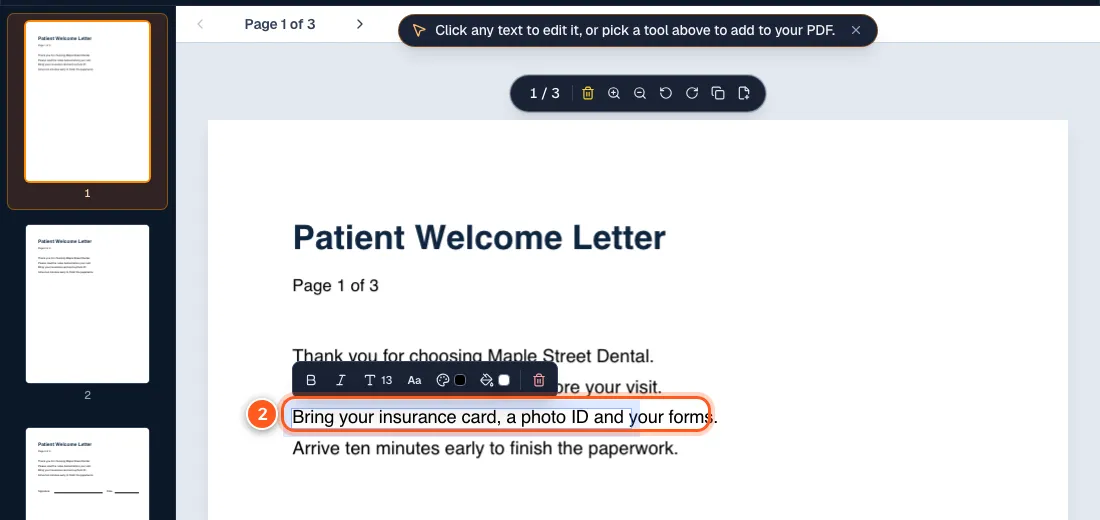
Click, type, nothing happens: the 4 reasons your PDF will not edit, and the fix for each
Why can't I edit a PDF?
Click, type, nothing happens. It is almost always one of four things: a password, a scan, a form, or a viewer-only app. Here is the fix for each.
Fix it now