How do I edit text in a PDF?
The original is gone and the PDF has a typo. Here is how to fix it.
Open the PDF in the FileHook editor, click the line you want to change, and type over it. Then press Download.
The font and the layout stay where the PDF put them. It works on one line at a time.
The date is wrong. A name has a typo. The PDF is the only copy you have, and the person who made it left the company. Do not panic: you can fix it by clicking the words and typing.
3 steps and you are done
Click the exact line that is wrong
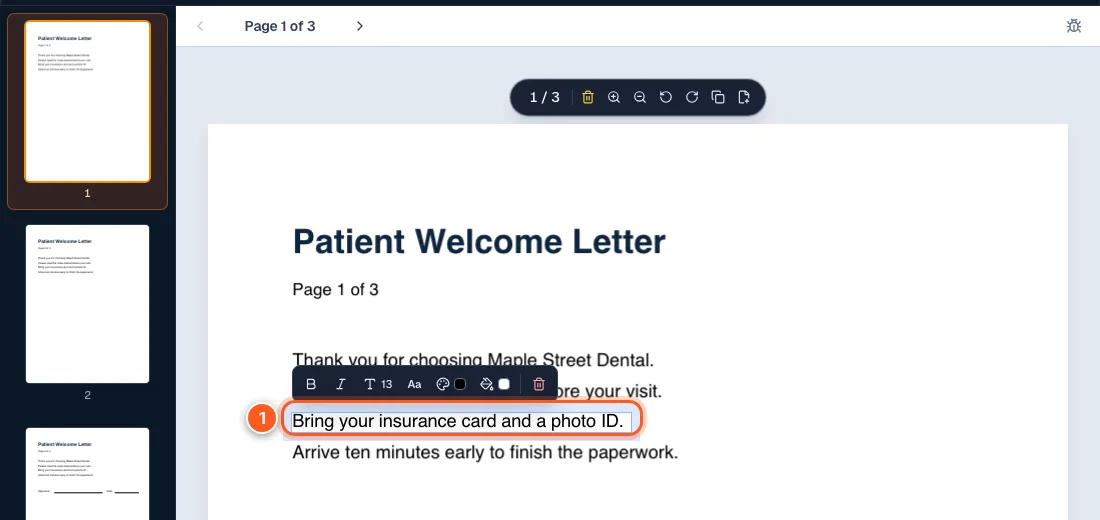
Open your file in the PDF editor. Click right on the words. A box with a small formatting bar shows up around that line.
Nothing happens when you click? The file may be a scan or locked. See why a PDF will not edit.
Select it all and type the right words
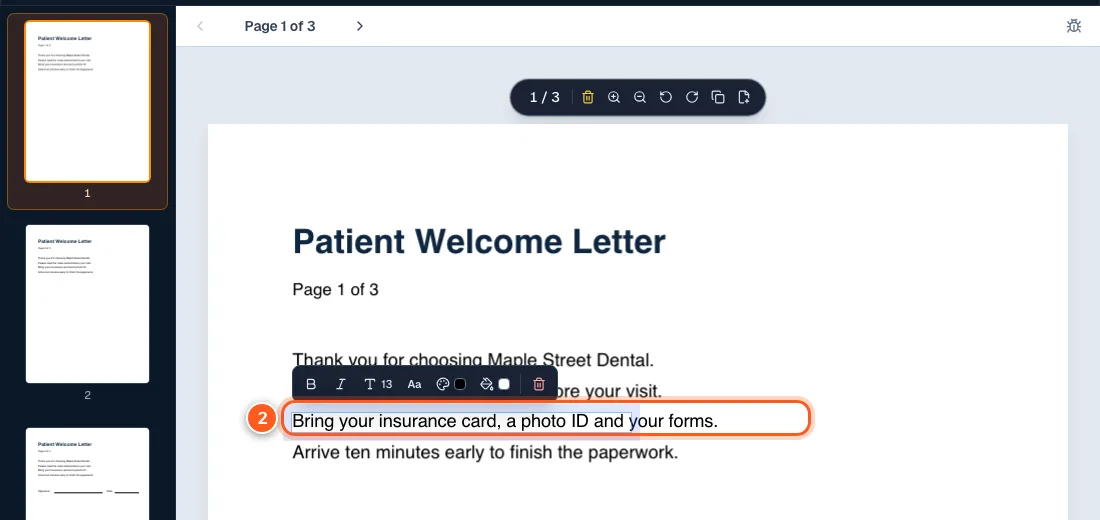
Press Ctrl+A (or Cmd+A on a Mac) to select the whole line, then type what you want. Or just click inside the line and change one word.
The new words use the same font and size as the line you replaced.
Click away and download the fixed file
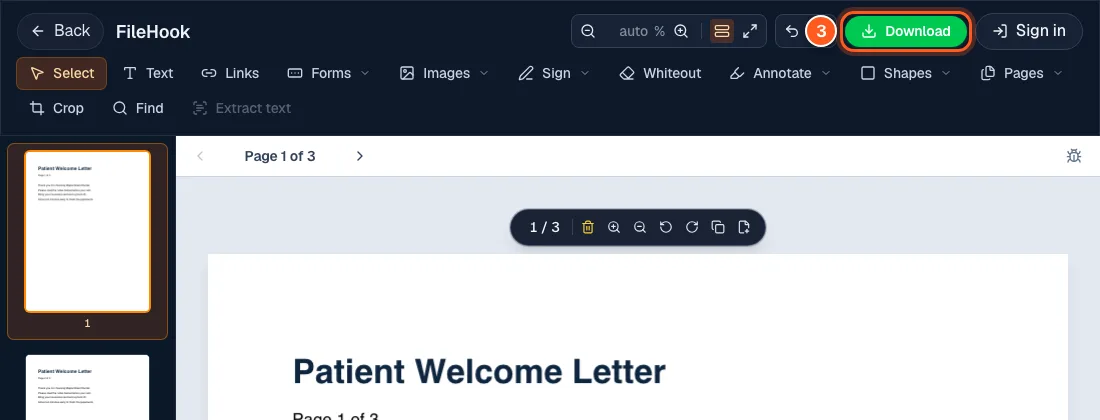
Click an empty spot on the page to finish. Then press the green Download button at the top right and save your new copy.