How do I convert a PDF to Word?
Stop fighting the PDF. Turn it into Word in 3 clicks.
Drop your PDF into the PDF to Word tool, press Convert to Word, then press Download Word file.
You get a real .docx with the text, headings, lists, links and images. It is built in your browser, not on a server.
You need to change a lot more than one typo, and the PDF fights you the whole way. Word is built for that kind of work. Turn the PDF into a Word file first, and it takes three clicks.
3 steps and you are done
Drop your PDF in the box
Go to the PDF to Word tool. Drag your file onto the box, or click it to browse. Files up to 50 MB work.

Press the Convert to Word button
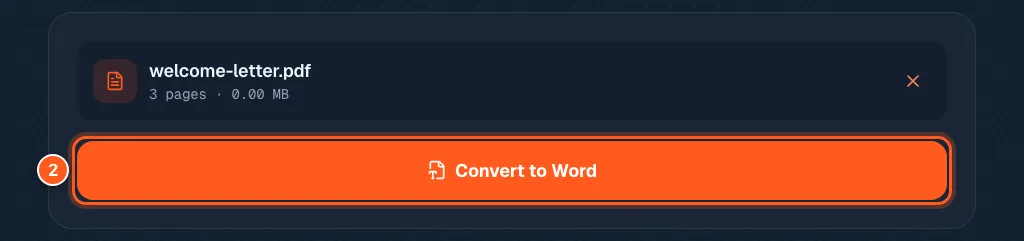
You will see the file name and the page count. One orange button. Press it.
Grab your editable .docx
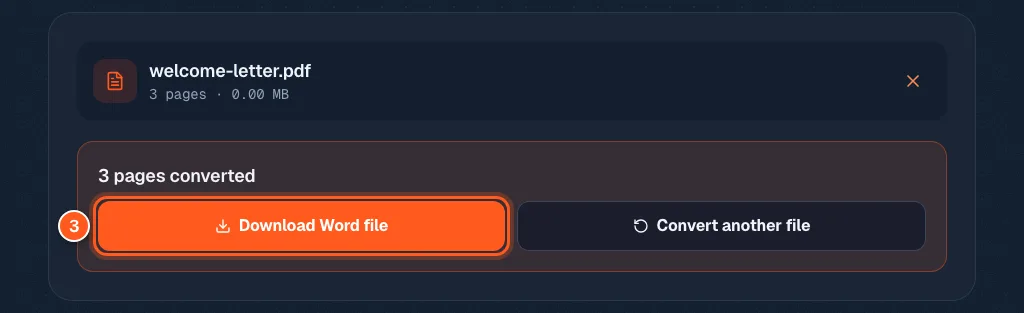
A box says how many pages were converted. If the tool had to make a best guess about anything, it lists those notes here, so read them before you move on.
Press Download Word file. Open it in Word, or any app that opens .docx files, and start editing.