How do I make a PDF from photos?
Stop sending ten photos. Send one PDF.
Open the JPG to PDF tool, add your photos, put them in order with the arrows, pick a page size, and press Convert.
Each photo becomes one page. You can add up to 100 photos.
Receipts. A signed paper you photographed. Pages from a book. Sending ten loose pictures is a mess, and half of them arrive in the wrong order. One PDF fixes it.
2 steps and you are done
Pull every photo in at once
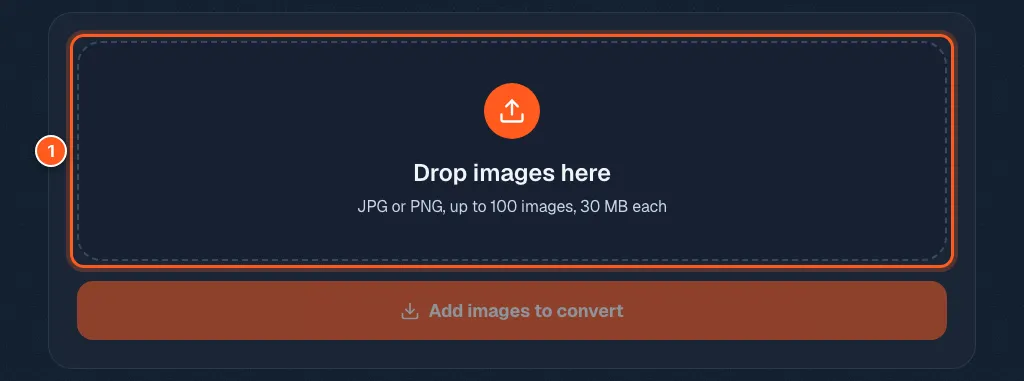
Open the JPG to PDF tool. Drop your pictures in the box, or click it and choose them. JPG and PNG both work, and you can mix them.
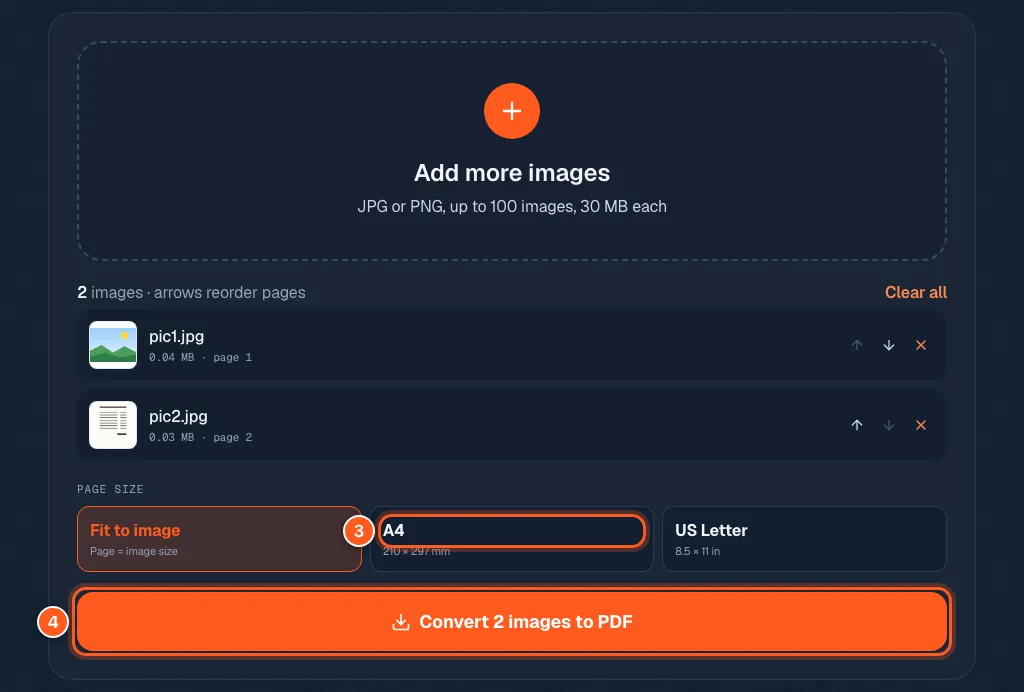
Set the order, pick the page, and press Convert
The first photo in the list becomes page one. Use the up and down arrows to move a photo.
Under Page size: Fit to image makes each page the size of its photo. A4 or US Letter puts each photo on a normal paper page with a small margin, which prints nicely.
Press Convert and your PDF downloads.